
How to Print JAMB Original UTME Result Slip 2026: Check Your Result, Pay Online & Download the Official Copy
How to Print JAMB Original UTME Result Slip 2026: Check Your Result, Pay Online & Download the Official Copy
Welcome to CampusCareer.NG, in this article you will Learn how to check your JAMB result and print the 2026 Original UTME Result Slip online. See the official portal, fee, requirements, payment steps, and common fixes.
How to Print JAMB Original UTME Result Slip 2026
Printing your JAMB Original UTME Result Slip is one of the most important steps after sitting for the Unified Tertiary Matriculation Examination (UTME). Whether you are applying for admission into a university, polytechnic, college of education, or another tertiary institution in Nigeria, you will eventually need the official result slip during the admission process.
Many candidates mistakenly believe that the SMS or online result notification is enough. Unfortunately, it isn’t. Institutions usually request the Original JAMB Result Slip, which contains your passport photograph and other security features that confirm its authenticity.
This comprehensive guide explains everything you need to know, including how to check your JAMB result, print your original result slip, pay the official printing fee, recover your account if you’ve forgotten your password, troubleshoot common errors, and protect yourself from scammers.
If you follow the steps in this guide carefully, you should be able to print your result without unnecessary stress.
Quick Answer
To print your 2026 JAMB Original UTME Result Slip:
- Visit the official JAMB eFacility portal. https://efacility.jamb.gov.ng/
- Log in with your registered email address and password.
- Select Print Original Result Slip.
- Pay the official printing fee.
- Choose the examination year.
- Download and print your official result slip.
What Is the JAMB Original Result Slip?
The JAMB Original Result Slip is the official version of your UTME result issued by the Joint Admissions and Matriculation Board (JAMB).
Unlike the free result notification displayed after checking your score, the original slip includes additional security details used for admission verification.
It normally contains:
- Candidate’s full name
- Passport photograph
- Registration number
- Examination year
- Subject combination
- Individual subject scores
- Total UTME score
- QR code or security features
- Official JAMB authentication details
This document serves as official evidence of your UTME performance.
Difference Between JAMB Result Notification and Original Result Slip
Many candidates confuse these two documents.
| Feature | Result Notification | Original Result Slip |
|---|---|---|
| Free to access | Yes | No |
| Passport photograph | No | Yes |
| Security features | Limited | Yes |
| Accepted for admission | Usually No | Yes |
| Required for Post-UTME | Sometimes | Yes |
| Official verification | Limited | Yes |
If your institution specifically requests your JAMB result, they are usually referring to the Original Result Slip.
Why Is the Original Result Slip Important?
The original result slip plays a major role throughout your admission journey.
Most institutions require it during:
- Post-UTME registration
- Physical screening
- Admission verification
- Clearance
- Scholarship applications
- Student documentation
Without it, your admission process may be delayed.
Who Should Print the Original Result Slip?
You should print your result slip if you are:
- Seeking admission into any Nigerian university
- Applying to a polytechnic
- Applying to a college of education
- Applying through Direct Entry (where required)
- Participating in Post-UTME screening
- Processing admission clearance
- Applying for scholarships
Requirements Before Printing Your JAMB Original Result Slip
Prepare the following before starting.a
JAMB Registration Number
Your registration number helps identify your examination record.
Registered Email Address
Use the same email linked to your JAMB profile.
Password
You need your eFacility account password.
Internet Connection
A stable internet connection prevents interruptions during payment.
ATM Card or Online Payment Method
Payment is made online through approved channels.
Printer or PDF Reader
You may either print immediately or save the document as PDF.
How to Check Your JAMB Result 2026
Before printing your original slip, many candidates first confirm their UTME score.
Method 1: Check Online
- Visit the official JAMB eFacility portal. https://efacility.jamb.gov.ng/
- Log into your account.
- Click Check UTME Results.
- View your score.
Method 2: SMS Method
Where available, JAMB may also provide an SMS service that allows candidates to retrieve their scores using the phone number used during registration. Always wait for official instructions before using this option, as the service and shortcode can change from year to year.
Step-by-Step Guide to Print JAMB Original Result Slip
Step 1: Visit the Official JAMB Portal
Open the official JAMB eFacility website. https://efacility.jamb.gov.ng/
Step 2: Sign In
Enter:
- Registered email
- Password
Click Login.
Step 3: Locate “Print Original Result Slip”
After logging in, locate the printing option on your dashboard.
Step 4: Pay the Official Fee
Proceed to payment.
You can pay using:
- ATM card
- Online banking
- Bank payment (where available)
Wait until payment is successfully confirmed.
Step 5: Select Examination Year
Choose 2026 UTME.
Step 6: Generate Your Slip
Your Original Result Slip will appear on the screen.
Step 7: Download the PDF
Save a copy to your phone or computer.
Step 8: Print Multiple Copies
It is advisable to print at least three copies for future use.
How to Print Your JAMB Result Using Your Phone
You don’t necessarily need a computer.
Simply:
- Open Chrome or another browser.
- Visit the JAMB portal.
- Log into your account.
- Complete payment.
- Download the PDF.
- Print later at a business centre if you don’t own a printer.
Can I Print My Result at a CBT Centre?
Yes.
Many accredited CBT centres provide:
- Result printing
- Payment assistance
- Password recovery
- Account login support
- PDF download
- Physical printing
This is often the easiest option for candidates who encounter technical difficulties.
How Much Does It Cost to Print the Original Result Slip?
JAMB charges an official fee for generating the Original Result Slip.
You may also pay an additional service fee if you use:
- Cyber cafés
- CBT centres
- Business centres
Always confirm the current official charge before making payment.
Can I Print My Result More Than Once?
Yes.
After payment, you can usually reprint your result whenever necessary by logging into your account.
Keeping both digital and printed copies is recommended.
Common Problems and Their Solutions
Forgot Password
Use the Forgot Password option on the login page.
Reset instructions will be sent to your registered email.
Forgot Registered Email
Visit the nearest accredited JAMB office or CBT centre for assistance.
Payment Successful but No Result Slip
Possible reasons include:
- Slow server response
- Temporary maintenance
- Payment synchronization delay
Wait for a while and try again.
Portal Not Opening
Possible causes include:
- Heavy traffic
- Internet issues
- Browser problems
Refresh the page or try again later.
Invalid Registration Number
Ensure you entered your registration number correctly.
Avoid unnecessary spaces.
Result Not Available
Candidates who recently completed a mop-up examination or had unresolved verification issues may need to wait until JAMB updates their records.
Safety Tips When Printing Your Result
To avoid scams:
- Use only the official JAMB portal.
- Do not share your password with strangers.
- Avoid unofficial websites claiming to print results.
- Keep your payment receipt.
- Save the downloaded PDF.
What to Do After Printing Your Result Slip
Once you have successfully printed your result:
- Register for Post-UTME.
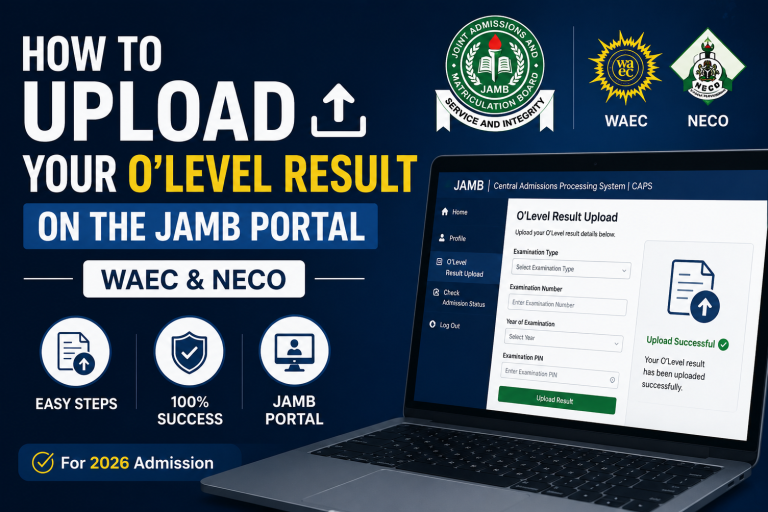
- Upload your O’Level result to JAMB CAPS if required.
- Monitor your admission status.
- Accept admission on CAPS once offered.
- Print your admission letter when available.
Frequently Asked Questions (FAQs)
Is the Original Result Slip compulsory?
Yes. Most institutions require it for admission processing.
Can I print my result using only my registration number?
No. You generally need access to your JAMB profile.
Can I use my phone?
Yes. You can complete the process on a smartphone.
How many times can I print my result?
You can reprint it whenever needed after successful payment.
Can someone else print it for me?
Yes, provided they have your login details and authorization.
Is the Original Result Slip different from the SMS result?
Yes. The SMS result is only a score notification, while the Original Result Slip is the official admission document.
What if I forget my password?
Use the password recovery option or visit an accredited CBT centre.
Can I edit my result after printing?
No. The result reflects your official examination record.
Is the printed copy valid for all schools?
Yes. It is the standard document accepted by Nigerian tertiary institutions.
Should I laminate my result?
It is better to keep it in a protective file instead of laminating it, as some institutions may request fresh copies during screening.
Final Thoughts
Printing your JAMB Original UTME Result Slip is an important milestone in your admission journey. While checking your score lets you know how you performed, the Original Result Slip is the document that confirms your result for official purposes.
Complete the process early, keep multiple copies in both digital and printed formats, and ensure all the information on the slip is correct. If you encounter any issues, seek assistance only through accredited JAMB offices or CBT centres and avoid unofficial platforms that claim to offer shortcuts.
By staying organized and following the official procedure, you’ll be well prepared for Post-UTME registration, admission screening, and the next stages of securing admission into your preferred institution.
Read Also;
WAEC Result Checker Portal 2026: How to Buy Scratch Card, Price, PIN & Check Your Result Online
How to Check WAEC Result 2026 Online: Complete Step-by-Step Guide (With SMS Method)
JAMB Cut-Off Marks for 2026/2027 Admission Released: (Universities, Polytechnics & Nursing)
LASU Cut-Off Mark 2026/2027 for All Courses: Full Departmental Scores & Admission Guide




2 Comments