
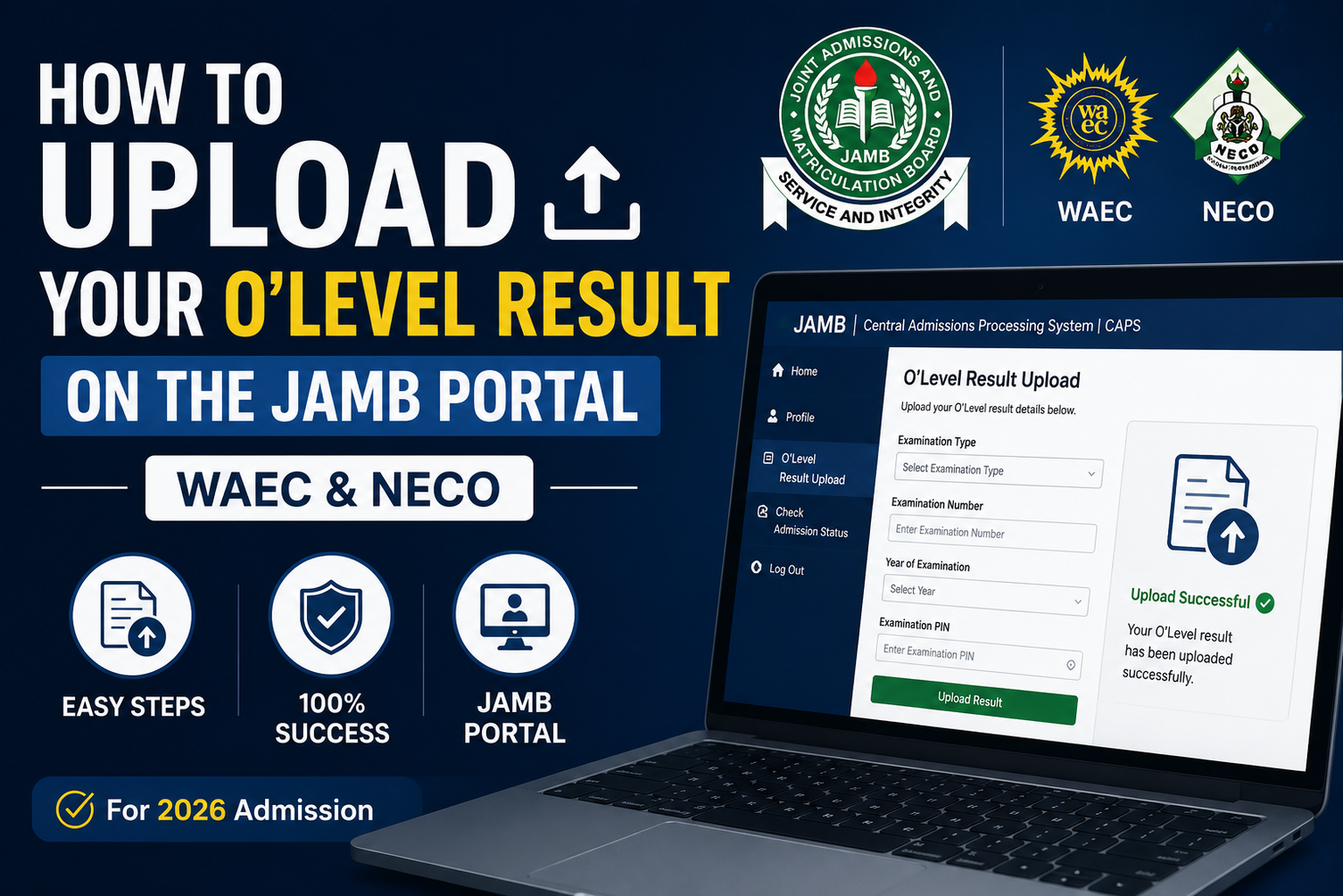
How to Upload O’Level (WAEC/NECO) Result on JAMB Portal 2026/2027
Welcome to this page, here at CampusCareer.NG, We provides essential guidelines related to Education, Admissions, Careers and Scholarships opportunities in Nigeria. If you are looking for how to upload your O’Level result on the JAMB portal, whether it’s WAEC, NECO, or NABTEB.
This guide explains everything you need to know. We will show you how to upload your result using your phone or a JAMB-accredited CBT centre, how to confirm it appears on CAPS, and what to do if your upload fails.
How to Upload WAEC/NECO Result on JAMB Portal 2026/2027 (Using Your Phone or CBT Centre)
Uploading your WAEC, NECO, or NABTEB O’Level result to the JAMB portal is one of the most important steps in Nigeria’s admission process. Every year, thousands of candidates score high in the Unified Tertiary Matriculation Examination (UTME) but still fail to secure admission because their O’Level result was not uploaded correctly or on time.
Whether you registered for UTME with your result or selected Awaiting Result (AR) during registration, ensuring your O’Level grades appear on the JAMB Central Admissions Processing System (CAPS) is essential before any institution can process your admission.
This comprehensive guide explains how to upload your WAEC or NECO result on the JAMB portal using your phone or through an accredited CBT centre, when to upload it, the documents you’ll need, the likely cost, how to verify the upload, common mistakes to avoid, and answers to frequently asked questions.
If you’re seeking admission into a university, polytechnic, college of education, or any other tertiary institution in Nigeria for the 2026/2027 academic session, this guide will help you complete the process correctly.
Quick Answer
Yes, you can upload your WAEC, NECO, or NABTEB result to the JAMB portal using your smartphone by accessing the official JAMB e-Facility portal.
However, JAMB-accredited CBT centres remain the safest option because trained personnel handle the upload directly on the official admission system, reducing the chances of errors that could delay your admission.
After uploading your result, always confirm that it appears correctly on JAMB CAPS before your preferred institution begins admission screening.
Why Uploading Your O’Level Result Is Important
Many admission seekers mistakenly believe that having a high UTME score automatically guarantees admission. Unfortunately, this is not the case.
Before any university, polytechnic, monotechnic, or college of education can offer admission, your institution must verify that you possess the required O’Level qualifications for your chosen course.
This verification is done through the JAMB Central Admissions Processing System (CAPS).
If your WAEC or NECO result is not uploaded successfully:
- Your admission may remain pending.
- Your preferred institution may be unable to verify your qualifications.
- You may not receive an admission offer even if you meet the departmental cut-off mark.
- Your CAPS admission status may continue showing “Awaiting Result.”
Uploading your result early helps ensure your admission process moves smoothly.
What You Need Before Uploading Your Result
Before starting the upload process, ensure you have the following:
- Your JAMB Registration Number
- Registered email address linked to your JAMB profile
- JAMB e-Facility password
- Original WAEC, NECO, or NABTEB result
- Stable internet connection
- Smartphone, laptop, or desktop computer
- A clear scanned copy of your result (if uploading online)
If you’re visiting a CBT centre, carry the original or a clear photocopy of your result.
Who Should Upload Their WAEC or NECO Result?
You should upload your O’Level result if you fall into any of the following categories:
UTME Candidates Who Registered With Awaiting Result
If your WAEC or NECO result was not available during JAMB registration, you must upload it immediately after it is released.
Failure to do so may delay your admission processing.
Candidates Who Already Have Their Result
Even if your result was available during registration, it is advisable to confirm that it has been successfully uploaded and reflects correctly on your JAMB CAPS profile.
Direct Entry (DE) Applicants
Direct Entry candidates are also required to upload their O’Level results in addition to their A-Level qualifications where applicable.
Candidates Combining Two O’Level Results
If you’re using a combination of WAEC and NECO, WAEC and NABTEB, or NECO and NABTEB, ensure that both results are uploaded correctly.
Most institutions accept a maximum of two sittings, depending on the course and admission policy.
When Is the Best Time to Upload Your Result?
Timing plays a major role in the admission process.
If your result is already available before JAMB registration, ensure it is uploaded immediately.
Candidates who selected Awaiting Result (AR) should upload their results as soon as the examination body releases them.
Do not wait until your school begins Post-UTME screening or admission processing.
Uploading your result early gives your preferred institution enough time to verify your qualifications through CAPS.
Waiting until admission offers have started may reduce your chances, especially if your institution has already begun processing qualified candidates.
Can You Upload Your WAEC or NECO Result Using Your Phone?
Yes.
JAMB allows candidates to access several admission services through the JAMB e-Facility Portal, including checking admission status and managing their profiles.
However, uploading your O’Level result using a smartphone requires careful attention.
A poor internet connection, incomplete upload, unsupported file format, or incorrect information may prevent your result from appearing on CAPS.
For this reason, many admission experts recommend using a JAMB-accredited CBT centre, especially if you are not familiar with the portal.
The small service charge is often worth avoiding mistakes that could affect your admission.
How to Upload WAEC/NECO Result on JAMB Portal 2026 (Using Your Phone or CBT Centre)
Step-by-Step Guide to Upload WAEC/NECO Result on JAMB Portal Using Your Phone
If you already have your WAEC, NECO, or NABTEB result and prefer to complete the upload yourself, you can do so through the official JAMB e-Facility portal using your smartphone.
Follow these steps carefully.
Step 1: Visit the Official JAMB e-Facility Portal
Open Chrome or any modern browser on your phone and visit the official JAMB e-Facility portal. https://portal.jamb.gov.ng/
Ensure you are using the official website to avoid phishing or fake portals.
Step 2: Log in to Your JAMB Profile
Enter the email address and password you used during your JAMB registration.
If you cannot remember your password, use the Forgot Password option to reset it before proceeding.
Step 3: Access Your CAPS Dashboard
After logging in successfully:
- Locate the Check Admission Status menu.
- Click Access My CAPS.
- If you are using a mobile phone, switch your browser to Desktop Site if the CAPS page does not load properly.
Step 4: Open the O’Level Result Section
Inside your CAPS dashboard:
- Select My O’Level or the O’Level upload section.
- Choose the examination body:
- WAEC
- NECO
- NABTEB
Next, select the correct examination year.
Step 5: Enter Your Subjects and Grades
Input every subject exactly as it appears on your result.
Double-check:
- Subject names
- Grades
- Examination number
- Examination year
Even a minor mistake can delay your admission.
Step 6: Upload Your Result
If the portal requests a scanned copy, upload a clear image of your result.
Ensure the image is:
- Clear and readable
- Properly cropped
- Not blurred
- In an accepted format such as JPG or PNG
Step 7: Review Everything Carefully
Before clicking Submit, review every detail.
Confirm that:
- Your examination number is correct.
- Your grades match your original result.
- The examination year is accurate.
- Your personal information is correct.
Step 8: Submit Your Result
Click Submit and wait for confirmation.
Do not refresh the page while the upload is processing.
If successful, your O’Level details should appear on your CAPS profile after processing.
The Safer Method: Upload Through a JAMB CBT Centre
Although uploading your result using your phone is possible, JAMB-accredited CBT centres remain the recommended option.
This is because trained operators use the official admission system to complete the upload.
Advantages include:
- Reduced chances of mistakes
- Immediate confirmation
- Professional assistance
- Faster troubleshooting if problems occur
For many candidates, this is the safest option.
Documents Required at the CBT Centre
Carry the following:
- JAMB Registration Number
- WAEC/NECO/NABTEB Result
- Registered Phone Number
- Email Address
- Means of Identification (if requested)
Some CBT centres may also ask for your JAMB profile code.
How Much Does It Cost to Upload WAEC or NECO Result?
There is no official JAMB fee specifically for uploading your O’Level result.
However, accredited CBT centres usually charge a service fee, which may vary depending on your location.
Most centres charge between ₦500 and ₦1,000 for the upload.
Always request a receipt or proof of payment after the service.
Avoid paying anyone claiming they can fast-track your admission.
How to Confirm Your Result Has Been Uploaded Successfully
Uploading your result is not enough.
You should verify that it appears correctly on your JAMB CAPS profile.
Follow these steps:
Step 1
Log in to your JAMB e-Facility account. https://portal.jamb.gov.ng/
Step 2
Open Check Admission Status.
Step 3
Click Access My CAPS.
Step 4
Locate My O’Level.
Step 5
Check whether all your subjects and grades are displayed correctly.
If everything appears correctly, your upload was successful.
What If My Result Is Not Showing?
Sometimes candidates complete the upload but later discover that their CAPS still shows:
- Awaiting Result
- Blank O’Level section
- No uploaded result
This may happen because:
- The upload failed.
- Wrong examination details were entered.
- Server delays.
- Poor internet connection interrupted the upload.
- The upload was done through an unauthorized centre.
If this happens:
- Visit a JAMB-accredited CBT centre immediately.
- Request that your result be uploaded again.
- Confirm the upload before leaving.
Can I Upload Two Results?
Yes.
If your institution accepts two sittings, you can upload:
- WAEC + NECO
- WAEC + NABTEB
- NECO + NABTEB
Ensure both examination results are uploaded correctly.
Failure to upload one of the results may affect your admission.
Can I Change My Uploaded Result?
Yes, where corrections are permitted.
If you mistakenly uploaded the wrong examination year, wrong grades, or the wrong result, visit an accredited CBT centre as soon as possible for assistance.
Do not wait until your institution starts processing admissions.
Does Uploading My Result Guarantee Admission?
No.
Uploading your O’Level result only makes your profile eligible for admission consideration.
Admission also depends on factors such as:
- Your UTME score
- O’Level grades
- Post-UTME performance (if applicable)
- Course competitiveness
- Institutional cut-off mark
- Admission quota
Uploading your result is a necessary step—but it does not automatically secure admission.
Common Mistakes Candidates Make When Uploading Their O’Level Result
Many admission seekers unknowingly make mistakes that can delay or even prevent their admission. Avoiding these common errors can save you time and improve your chances of being considered for admission.
1. Waiting Too Long Before Uploading
One of the biggest mistakes is delaying the upload until schools have already started screening candidates. If you registered with Awaiting Result (AR), upload your result immediately after WAEC, NECO, or NABTEB releases it.
2. Uploading Through an Unauthorized Centre
Not every cyber café is qualified to perform JAMB services. Using an unauthorized operator increases the risk of incorrect uploads or failed submissions.
Always use a JAMB-accredited CBT centre if you are unsure.
3. Entering Incorrect Grades or Examination Details
A simple mistake such as selecting the wrong examination year or entering an incorrect grade can affect your eligibility for admission.
Review every detail carefully before submitting.
4. Assuming Your Result Was Uploaded Automatically
Many candidates believe that because they presented their WAEC or NECO result during JAMB registration, it will automatically appear on CAPS.
This is not always the case. Always log in and verify that your O’Level result is visible.
5. Ignoring CAPS After Upload
Uploading your result is only one part of the admission process. Continue checking your CAPS profile regularly for updates on your admission status.
Expert Tips to Improve Your Admission Chances
Besides uploading your result correctly, there are other steps that can improve your chances of gaining admission.
- Upload your result immediately after it becomes available.
- Ensure your names match across your JAMB profile, WAEC/NECO result, NIN, and birth certificate.
- Use only genuine examination results.
- Keep your phone number and email address active.
- Check CAPS regularly for updates.
- Accept your admission promptly once offered.
- Print all important JAMB documents for future reference.
Understanding Common JAMB CAPS Messages
Many candidates panic when they see unfamiliar messages on CAPS. Here’s what they mean.
Awaiting Result
Your O’Level result has not yet been uploaded or verified.
Admission in Progress
Your admission is currently being processed. No action is required other than checking regularly.
Recommended
Your institution has recommended you for admission, but JAMB has not completed the approval process.
Admission Offered
Congratulations! Your admission has been approved. Accept or reject it on CAPS.
Not Admitted
No admission has been offered at the moment. Continue checking, as your status may change during subsequent admission batches.
What Happens After Uploading Your Result?
Once your WAEC or NECO result has been uploaded successfully, your preferred institution can verify your qualifications through JAMB CAPS.
If you meet the admission requirements, your application proceeds to the next stage, which may include:
- Departmental screening
- Admission recommendation
- JAMB approval
- Admission offer
- Acceptance of admission
- Printing of admission letter
Remember that uploading your result does not automatically guarantee admission, but it is an essential requirement.
Frequently Asked Questions (FAQs)
Can I upload my WAEC or NECO result using my phone?
Yes. You can upload your result through the JAMB e-Facility portal using your smartphone. However, a JAMB-accredited CBT centre is generally safer and more reliable.
Is uploading my O’Level result compulsory?
Yes. Without your O’Level result on JAMB CAPS, your admission cannot be processed.
How much does it cost to upload WAEC or NECO result?
Most accredited CBT centres charge between ₦500 and ₦1,000 as a service fee.
Can I upload my result after JAMB registration?
Yes. Candidates who registered with Awaiting Result should upload their result immediately after it is released.
Can I upload two O’Level results?
Yes. If your institution accepts two sittings, you may upload combinations such as WAEC and NECO or WAEC and NABTEB.
Can I edit my uploaded result?
If you uploaded incorrect details, visit a JAMB-accredited CBT centre immediately for assistance.
How do I know my result has been uploaded successfully?
Log in to your JAMB CAPS profile and check the My O’Level section. If your subjects and grades are displayed correctly, the upload was successful.
Can I gain admission without uploading my O’Level result?
No. Institutions rely on JAMB CAPS to verify your qualifications. Failure to upload your result may prevent your admission from being processed.
What if my CAPS still shows “Awaiting Result”?
Visit a JAMB-accredited CBT centre and request verification or re-upload of your result if necessary.
Is NABTEB accepted for O’Level upload?
Yes. NABTEB results can also be uploaded, provided they meet your institution’s admission requirements.
Do Direct Entry candidates need to upload their O’Level result?
Yes. Direct Entry applicants must upload their O’Level results alongside other required qualifications.
Final Thoughts
Uploading your WAEC, NECO, or NABTEB result to the JAMB portal is one of the most important steps in the admission process. Even if you have an excellent UTME score, your preferred institution cannot process your admission unless your O’Level result is correctly uploaded and visible on JAMB CAPS.
To avoid unnecessary delays, upload your result as early as possible, verify that it appears correctly on your CAPS profile, and continue monitoring your admission status throughout the admission exercise.
Most importantly, use only the official JAMB portal or an accredited CBT centre to complete the process. Taking these simple precautions can significantly improve your chances of securing admission into your preferred institution for the 2026/2027 academic session.
Read Also;
WAEC Result Checker Portal 2026: How to Buy Scratch Card, Price, PIN & Check Your Result Online
How to Check WAEC Result 2026 Online: Complete Step-by-Step Guide (With SMS Method)
JAMB Cut-Off Marks for 2026/2027 Admission Released: (Universities, Polytechnics & Nursing)
LASU Cut-Off Mark 2026/2027 for All Courses: Full Departmental Scores & Admission Guide




One Comment